Allow Only CloudFront to Access Your ALB
If your ALB is publicly reachable, users can bypass CloudFront and hit the ALB origin directly. This can bypass caching rules, WAF protections at CloudFront, and other edge controls.
One practical way to reduce this risk is to:
- Add a secret custom header in CloudFront when forwarding requests to your ALB origin.
- Add a high-priority ALB listener rule that only forwards requests when that header matches.
- Use the default listener action to block everything else.
How it works
- A request reaches CloudFront.
- CloudFront forwards the request to your ALB and adds a secret header.
- ALB checks for that header value.
- If it matches, ALB forwards to your target group.
- If it does not match, ALB returns a blocked response.
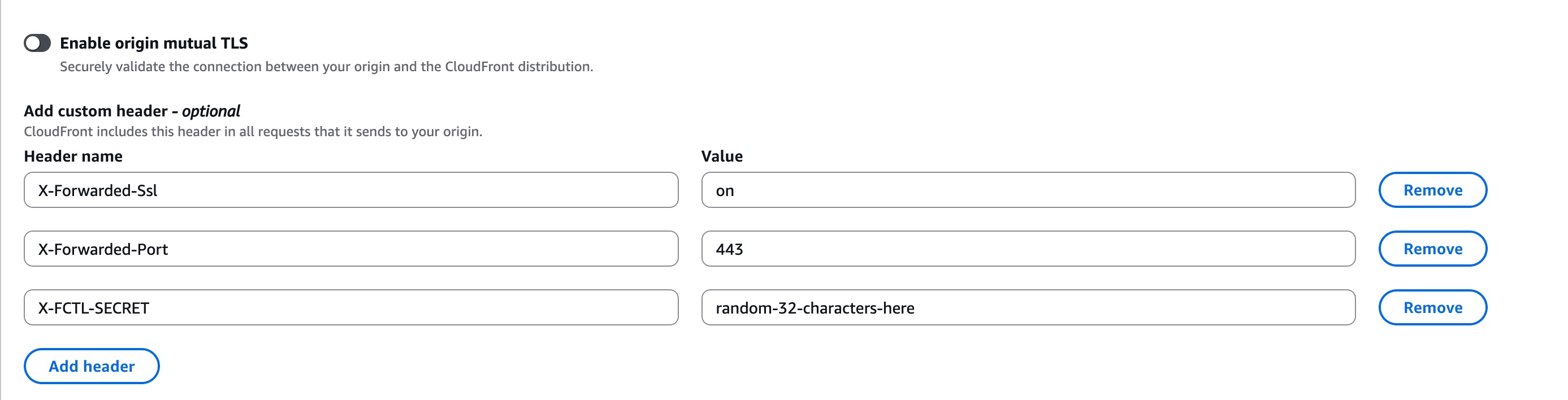
Step 1: Add a secret header in CloudFront
- Open the CloudFront distribution.
- Go to Origins and edit the ALB origin.
- Under custom headers, add a header name and a strong random value.
Example:
Header name: X-FCTL-SECRET
Header value: 6ce4f6d1b7f14b8eb8b7d6f21c3b2a53
Use a long random value and treat it as a secret.
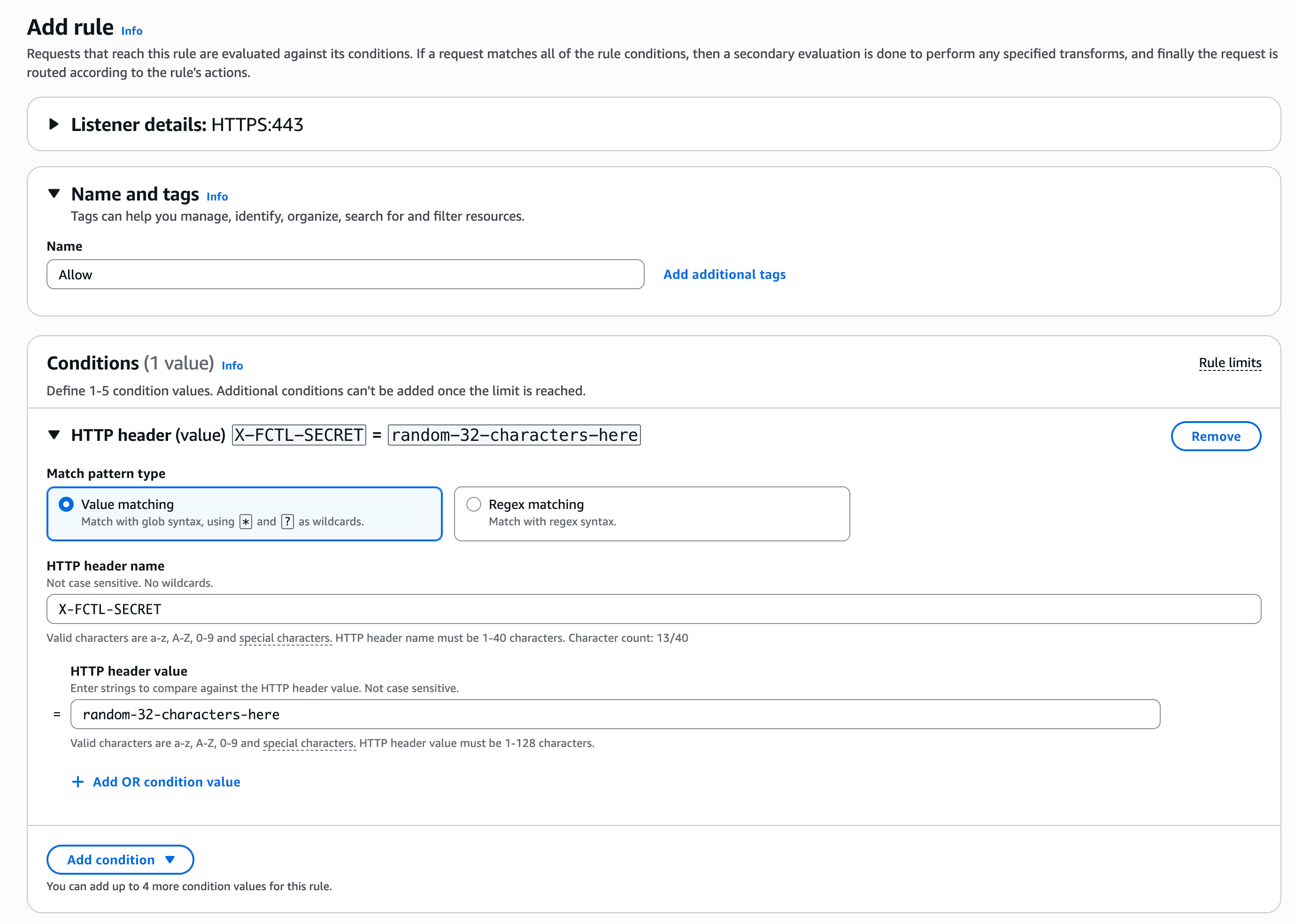
Step 2: Add an allow rule in the ALB listener
- Open the ALB in the EC2 console.
- Go to Listeners and rules and edit your HTTP or HTTPS listener.
- Add a new rule with highest priority:
- Condition:
Http header - Header:
X-FCTL-SECRET - Value: your secret value from CloudFront
- Action:
Forward toyour application target group
- Condition:
This rule should be evaluated before other path or host-based forwarding rules.
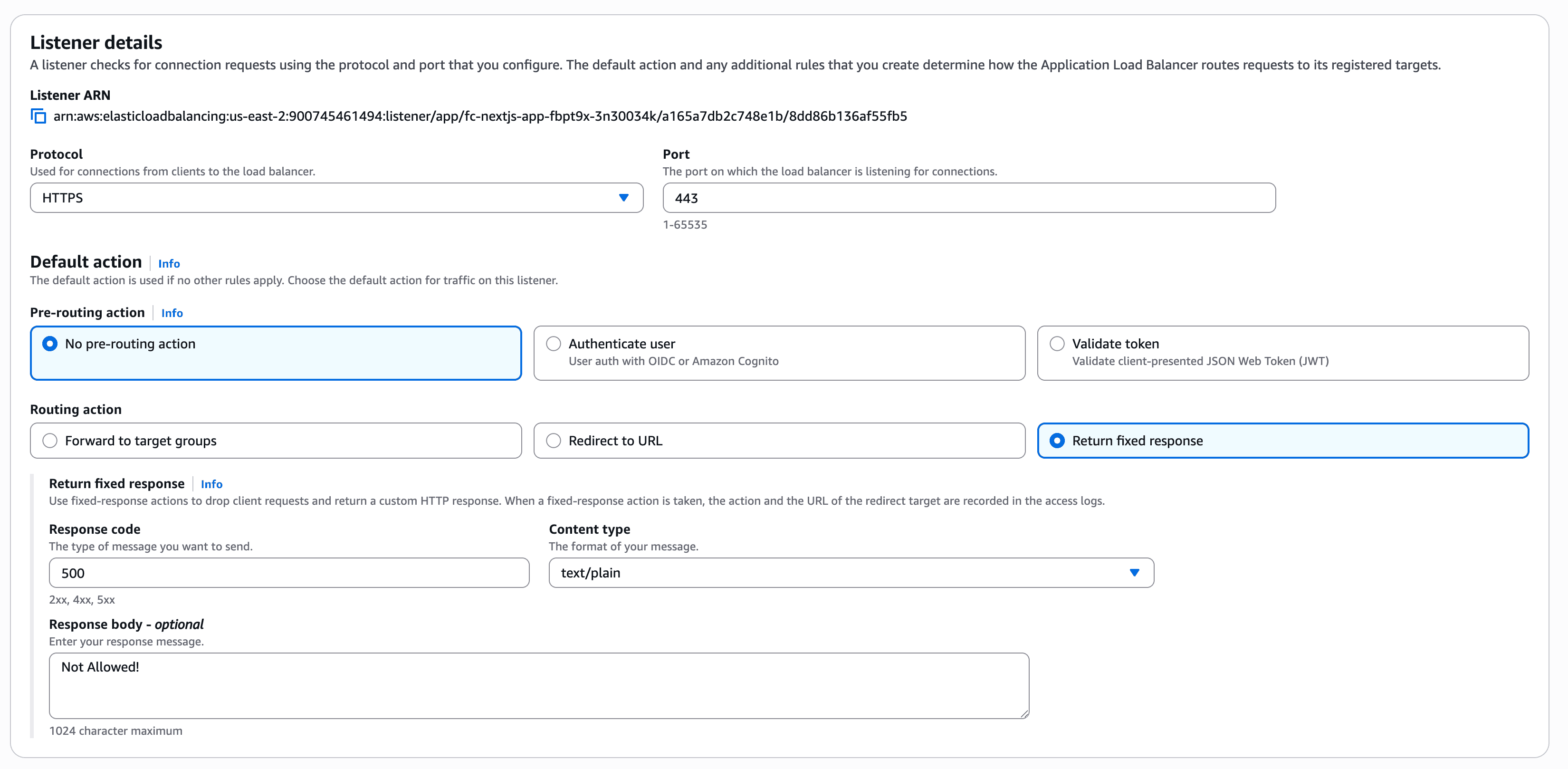
Step 3: Change the default listener action to block
Set the default listener action to block traffic that does not match your allow rule.
Use either:
- Fixed response
500(recommended, as it is easy to spot in ALB metrics)
After this change, direct requests to the ALB DNS name should be rejected unless they include the correct secret header.
Step 4: Verify
- Call your CloudFront domain: request should succeed.
- Call the ALB DNS name directly without the header: request should be blocked.
- Call the ALB DNS name directly with the exact header/value: request should succeed.
If step 3 succeeds, your rule is configured correctly. If step 2 does not block, check rule priority and which listener receives the request.
Screenshot placeholder: Test results showing CloudFront request success and direct ALB request blocked without the secret header.
This header-based method is a strong practical control, but it is not the same as network-level isolation. If you need stricter protection, combine this with additional controls such as limiting ALB security-group ingress to CloudFront origin-facing addresses.
Operational tips
- Rotate the secret header value periodically.
- Keep the ALB allow rule at the highest priority.
- Make sure every CloudFront origin that points to this ALB sends the same required header.
- Log and alert on blocked requests to detect direct-origin probing.